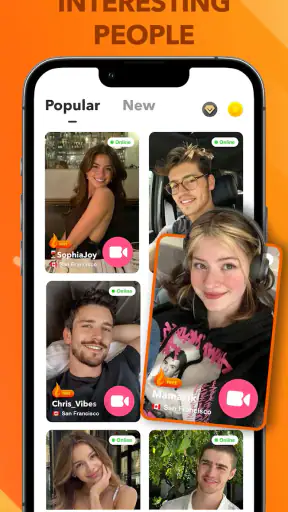
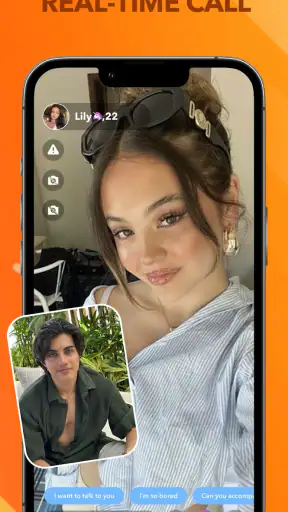
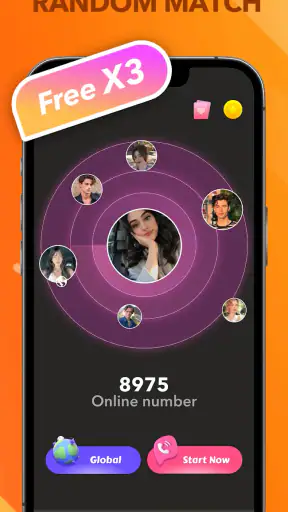
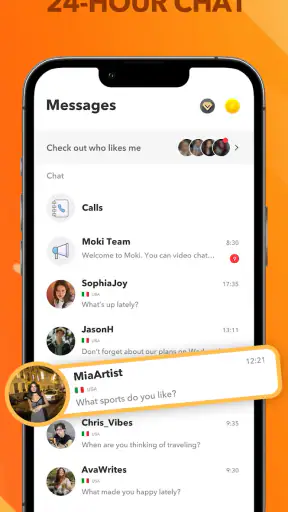
StarLive Lite-Live Video Call
3.998.00Reviews
Analysis ByAppCompare
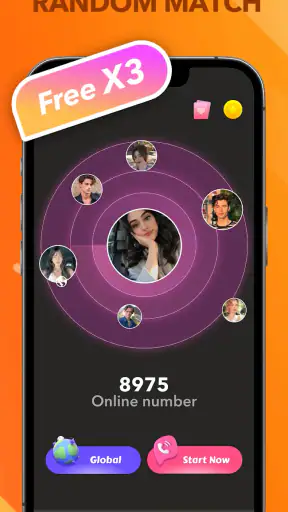
Meeting someone through a live video app can feel exciting, but the first few minutes often decide whether the experience feels comfortable or frustrating. StarLive Lite-Live Video Call is built around spontaneous conversations with unfamiliar people, combining random matching, video calls, and text messages in one social app. I see it as a quick way to break out of a quiet evening or practice talking with people beyond your usual circle, rather than as a replacement for a close-knit social network.
The app comes from Moki Live Team and is free to install. It belongs to the social category, has an average rating of 3.9 from roughly 26 thousand ratings, and has passed 5 million installs. Those figures suggest that the concept has reached a substantial audience, while the rating also hints at a mixed experience: plenty of people find the format enjoyable, but random social apps naturally depend on the behavior of the people you meet.
What to expect before your first call
The central idea is simple. Instead of choosing friends from an existing contact list, I enter a space where the next conversation may come from a random match. That makes the app more immediate than a conventional messaging service. I do not need to build a social graph first, but I also have less control over who appears and how much effort the conversation will require.
That trade-off is important. StarLive Lite is best approached as a discovery tool for short, low-pressure interactions. If you enjoy saying hello to strangers, exchanging a few messages, or seeing whether a brief video conversation develops naturally, the format makes sense. If you want dependable replies from people you already know, a normal messenger is a better fit. If you want carefully filtered communities around hobbies, a topic-based social platform will usually give you more useful context before you speak.
The mature 17+ rating should shape your expectations from the beginning. This is not an app I would hand to a child or recommend treating like a supervised family chat service. Random video interaction can be unpredictable, so I would keep personal details private, avoid sharing contact information too quickly, and end a conversation as soon as it becomes uncomfortable. Those are not complicated rules, but they make a meaningful difference in an app based on meeting strangers.
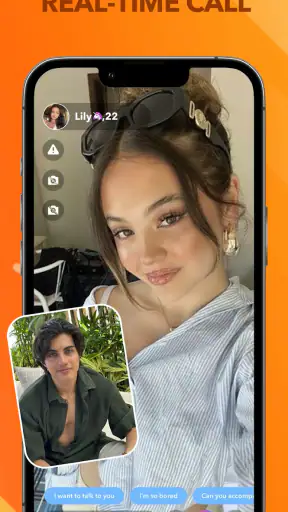
The store summary focuses on random matching, video calls, and text messages, and that combination is the practical heart of the experience. Text is useful when I am not ready to appear on camera or when a video conversation is awkward. Video provides a faster sense of whether two people are comfortable talking. Moving between those two modes is more useful than relying on video alone, because not every first contact deserves an immediate face-to-face exchange.
One detail worth noticing is the word “Lite” in the app’s name. I would not interpret that as a promise of a particular connection speed or a guarantee that every device will run it identically. It is better to judge the app by how easily it gets you into a conversation on your own phone and network. A stable connection, a quiet place, and a little patience matter more than expecting every random match to feel polished.
Installing it without overcommitting
StarLive Lite is free, which makes it easy to try without paying at the door. At the same time, the app includes optional in-app purchases ranging from $0.49 to $189.99 per item. That is a wide range, so I would treat the free starting point as a trial rather than assuming every useful interaction will remain entirely cost-free. Before buying anything, I would look closely at what the purchase changes and whether it solves a problem I actually have.
This is especially important in a random-match app. A paid option may feel tempting when a conversation ends quickly or when I want more control over the next interaction, but spending does not guarantee a good match or a respectful person on the other side. My advice is to use the basic experience long enough to understand the rhythm of matching, messaging, and calls before considering any purchase.
The app supports devices running Android 7.0 or later. On a first installation, I would keep the process straightforward: install it, open it, read each prompt carefully, and only enable access that makes sense for the action I am trying to perform. Video calling naturally requires attention to camera and microphone controls, but I would still avoid tapping through every prompt automatically. Knowing which controls are active helps me feel more in charge once a call begins.
I would also choose a profile approach that reveals very little at first. A first name or nickname is enough for an initial conversation. I would not add a workplace, school, home area, phone number, or links to other personal accounts until I had spent enough time deciding that a contact was trustworthy. The goal is not to make the profile empty; it is to keep the first interaction reversible.
Getting from installation to a meaningful first interaction
My preferred first-session plan would be short and deliberate. I would open the app when I have ten or fifteen quiet minutes, test the text side first, and use that opening to set a simple conversational direction. “What brought you here today?” is more useful than sending a bare “hi,” because it gives the other person something easy to answer without demanding private information.
If the exchange feels comfortable, I would then consider a video call. I would sit somewhere with decent light, keep the background ordinary, and use headphones if they help reduce echo. These small choices improve the conversation without pretending that every match will become a friendship. A successful first action is not necessarily finding a long-term contact; it may simply be having one respectful exchange and leaving with a clear sense of how the app works.
There is a practical reason to start with text. A random match can be a poor fit for many harmless reasons: different schedules, different languages, a weak connection, or no shared interest. Text gives me a quick way to test the tone before committing attention and camera space. Use messaging as a screening step, not as a promise that a call must follow. That workflow reduces awkwardness and gives both people an easy exit.
When I do accept a call, I would keep the first one brief. A short conversation is easier to end politely, and it lets me notice whether the other person respects boundaries. If someone pressures me to reveal information, move elsewhere immediately, or continue after I say no, I would leave rather than trying to repair the interaction. The value of random video is spontaneity, not obligation.
A realistic everyday use case is a person taking a break after work and wanting a little human conversation without arranging a meeting in advance. They could begin with text while having a drink, move to video if the match seems friendly, and stop after a few minutes if the conversation does not click. That is where the app feels most natural: a lightweight social detour, not a scheduled replacement for real relationships.
Where new users commonly get confused
The first confusion is often the difference between matching and connecting. A match only creates an opportunity to interact; it does not mean the other person shares your interests, will reply promptly, or wants the same kind of conversation. I would avoid reading too much into a quick match or a short call. The system’s randomness is the point, but it also creates inconsistency.
The second confusion is assuming that video is always the main route. The presence of text messaging gives the experience a useful second gear. If I am in public, tired, or not ready to appear on camera, I can begin more quietly. Someone else may have the same concern. Treating text as a legitimate first step makes the app less demanding and helps conversations develop at a more comfortable pace.
A third issue is mistaking activity for quality. A busy stream of new contacts can feel rewarding, but quantity does not tell me whether the app is helping me meet compatible people. I would judge it by the quality of a few conversations: Do people answer thoughtfully? Do they respect a boundary? Can the discussion move beyond introductions? Those questions are more useful than chasing every possible interaction.
Another point that deserves attention is privacy during video. Even without sharing a name or number, a camera can reveal plenty through a room, a uniform, documents on a desk, or a visible street view. I would check the frame before answering and keep identifiable objects out of sight. This is a concrete habit that many first-time users overlook, especially when the app makes a call feel casual and immediate.
I would also be cautious about moving a conversation to another service. A stranger who quickly asks for private contact details may be perfectly harmless, but speed alone is not proof of trust. Keeping the early exchange inside the app gives me more time to assess behavior. If I decide to continue elsewhere, I would do so because the person has consistently respected limits, not because the conversation became intense after a few messages.
The mature audience also means that the app may not suit anyone who wants tightly moderated, predictable social interaction. Parents looking for a safe communication space for younger users should choose a service designed for that purpose. People who dislike surprise calls, uncertain conversations, or the possibility of inappropriate behavior may find the random format stressful rather than entertaining.
How it compares with familiar social alternatives
Compared with a standard messenger, StarLive Lite removes the need to know someone first. That is its strongest difference and its biggest weakness. A messenger offers context, existing trust, and a reliable list of contacts, while this app offers novelty and a faster path to meeting someone new. I would choose the app when discovery matters more than predictability.
Compared with a large social network, the experience is more focused on direct interaction. There is less reason to spend time scrolling through a broad feed before speaking to someone. That can feel refreshing if I want conversation rather than passive browsing. On the other hand, a social network usually lets me learn about a person through shared posts, mutual contacts, or interests. StarLive Lite gives me less background, so I have to make decisions from the conversation itself.
Compared with interest-based communities, it sacrifices subject depth for immediacy. A hobby forum or group chat is better when I want advice, ongoing discussion, or a community organized around a specific passion. StarLive Lite is better when I am open to unexpected topics and do not need the interaction to be organized around a theme. Neither approach is universally superior; they serve different moods.
Compared with a dedicated dating service, I would not assume that every match has romantic intentions. The random social format can lead to friendly conversation, but it does not provide the same expectation or structure as a service designed around dating profiles and preferences. Anyone joining should communicate clearly and avoid treating a stranger’s friendliness as a promise of romantic interest.
Who will get the most from it
I think StarLive Lite works best for adults who are curious, reasonably comfortable with uncertainty, and willing to leave unproductive conversations quickly. It can be useful for someone practicing casual conversation, looking for a brief social break, or hoping to meet people outside an established circle. It may also suit users who prefer a quick video exchange over maintaining a long public profile.
It is less suitable for people who need strong control over who contacts them, who want a carefully organized community, or who become uncomfortable when a conversation changes direction without warning. It is also a poor choice for anyone who expects every interaction to be meaningful. Random matching creates chances, not guarantees.
The current version is 4.7.0, and the app has been available since October 16, 2022. I would still approach version numbers as practical information rather than a quality guarantee. What matters in daily use is whether matching, text, and video fit my device and connection, and whether the people I encounter make the experience worthwhile.
My practical routine after the first day
After learning the basics, I would create a simple personal routine: use text to establish comfort, switch to video only when the conversation earns it, and end sessions before they become tiring. I would keep purchases disabled until I understood the free experience, and I would review my profile occasionally to remove details that I no longer want visible. These steps make the app feel more intentional and less like an endless sequence of random prompts.
I would also keep expectations modest. The best outcome may be a pleasant conversation that lasts only a few minutes. If I happen to find someone I genuinely enjoy talking with, I can decide slowly whether to continue. That mindset prevents the common mistake of judging the entire app by one awkward match or, in the other direction, trusting a charming stranger too quickly.
My overall impression is that StarLive Lite-Live Video Call is a straightforward social app with a clear appeal: it lowers the barrier to meeting someone new through text or video. Its value depends heavily on personal boundaries and on the quality of each random interaction. The free entry point makes experimenting easy, while the mature audience and optional purchases mean I would use it thoughtfully rather than casually handing over attention or money.
I would recommend it to an adult who wants spontaneous conversation and understands that unpredictability is part of the package. I would skip it in favor of a normal messenger, interest community, or more structured service when privacy, shared context, or reliable contacts matter more. For a first-time user, the safest path to a good experience is simple: start with a small profile, begin in text, move to video only when comfortable, and treat every interaction as optional.
Keywords:FAQ
What is StarLive Lite-Live Video Call, and what can I do with it?
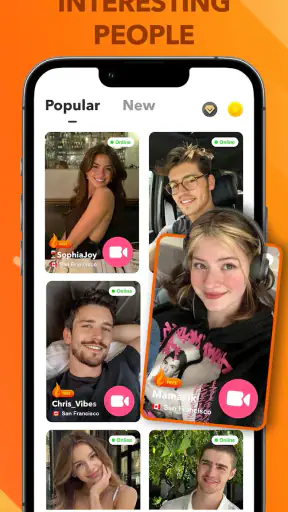
StarLive Lite-Live Video Call is a social communication app focused on live video interaction and one-to-one video calls. After installing it, users can typically discover live broadcasters, watch ongoing streams, interact through chat or reactions, and start video conversations where available. The exact features may depend on your region, account status, app version, and the permissions you grant.
Is StarLive Lite-Live Video Call free to download and use?
The app may be free to download, but some features can involve optional in-app purchases, virtual gifts, coins, subscriptions, or other paid services. Before using paid functions, check the pricing shown inside the application and confirm how purchases are processed through Google Play or the App Store. Review recurring subscription terms carefully, since deleting the app usually does not cancel an active subscription.
Is StarLive Lite-Live Video Call safe and suitable for everyone?
Because StarLive Lite-Live Video Call involves live broadcasts and direct communication with other users, the content and conversations may vary considerably. Users should avoid sharing passwords, payment details, personal addresses, or private images. Parents should review the app’s age rating and privacy controls before allowing younger users to access it, and anyone who encounters harassment, inappropriate content, or suspicious behavior should use the available reporting and blocking tools.
What permissions does StarLive Lite-Live Video Call require?
A video-call and live-streaming application may request access to the camera and microphone, while notifications, photos, storage, or network-related permissions may be requested for additional features. You can review and change these permissions in your Android or iOS settings. Only enable access that you are comfortable providing, and remember that restricting the camera or microphone can prevent video calls, broadcasting, or voice features from working correctly.
What should I do if video calls or live streams do not work properly?
If you experience freezing, poor video quality, missing audio, or failed calls, first check that the app is updated and that your internet connection is stable. Switching between Wi-Fi and mobile data may help identify connection problems. Also confirm that camera and microphone permissions are enabled, close other demanding apps, and restart StarLive Lite-Live Video Call. If the issue continues, use the app’s support option and include your device and operating-system details.
Pros
- Lightweight app that uses less storage than many video chat platforms.
- Quick sign-up process makes it easy to start meeting people.
- Live rooms offer a variety of hosts and conversation topics.
- Private calls provide a more personal way to interact.
- In-app discovery helps users find active broadcasters quickly.
Cons
- Some features may require coins
- gifts
- or other in-app purchases.
- User quality and activity can vary significantly by time and region.
- Live broadcasts may include suggestive or unsuitable content.
- A stable internet connection is needed for smooth video calls.
- Privacy settings should be checked carefully before sharing personal details.